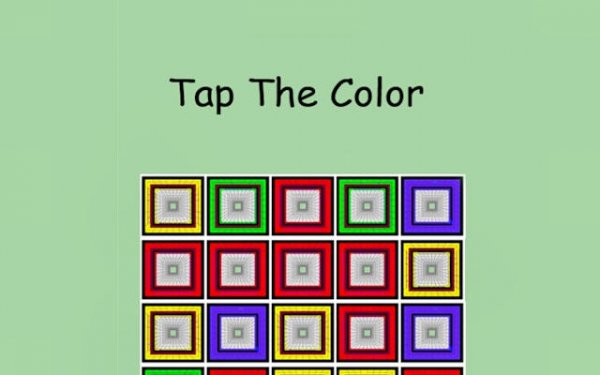
Hue Tap: Speed Perception Game
Reviews
Hue Tap succeeds by focusing on a single, well-executed mechanic. The gradual introduction of similar hues keeps the challenge engaging without feeling unfair. The minimal interface and immediate feedback make it accessible to all ages. While it lacks variety in modes, the core loop is polished enough to encourage repeated play. A solid choice for puzzle fans seeking a quick cognitive workout.
About This Game
Core Gameplay Loop
Hue Tap presents a straightforward challenge: a colored square appears at the top of the screen, and players must tap the matching square from a selection below. The catch is time. Each correct answer earns points, but hesitation reduces your score. The interface is minimal, with only the essential elements visible, allowing you to focus entirely on the task. As you progress, the time window shrinks, and the color options become more similar, demanding sharper attention.
Difficulty Progression
The game begins with basic colors like red, blue, and green, which are easy to distinguish. After a few rounds, it introduces pastels and muted tones. Later stages feature near-identical shades, such as two slightly different blues or greens. The display time for the target color also decreases, forcing quicker decisions. This gradual increase keeps the challenge engaging without overwhelming new players.
Visual Design Philosophy
Hue Tap uses a clean, bright color palette that makes each shade pop against the background. The squares are large and clearly separated, reducing visual clutter. Feedback is immediate: a correct tap triggers a pleasant visual cue, while an incorrect one shows a subtle shake. This design ensures that players of all ages, including young children learning colors, can easily understand and enjoy the experience.
Session Structure and Replay Value
Each session consists of multiple rounds, with the game tracking your best score and longest streak. There is no set endpoint; you play until you make a mistake or choose to stop. This structure makes it ideal for short breaks, as you can complete a few rounds in under a minute. The desire to beat your previous high score encourages repeated play, and the increasing difficulty ensures that each attempt feels fresh.
Accessibility and Audience
Hue Tap requires no reading or complex instructions. Anyone can start playing immediately, making it suitable for young children, older adults, and everyone in between. The game does not use any text-based menus, relying instead on icons and visual cues. This universal design means it works well for non-native English speakers and those with limited literacy.
Compatibility
System Requirements


Comments
0 comments