Shapes Puzzle Game Online
Reviews
Shapes Game Online Puzzle provides a straightforward and effective method for teaching geometric shapes. The game uses positive reinforcement and gradual difficulty to keep children engaged. Its multi-device support ensures accessibility, while the lack of text makes it ideal for pre-readers. The clean design and responsive feedback encourage repeated play, reinforcing learning through practice.
About This Game
Game Introduction
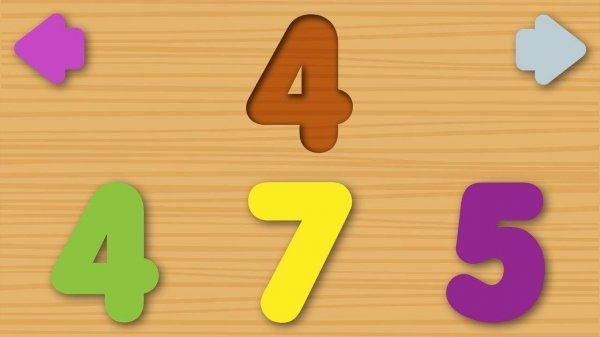
Shapes Game Online Puzzle Educational Game is a learning-focused puzzle game designed to help players of all ages recognize and identify basic geometric shapes. The core objective is to match displayed shapes, such as circles, squares, and triangles, in an interactive and playful environment. Created by Nau.kids, this game turns shape recognition into a fun activity that can be enjoyed on smartphones, tablets, or computers. Its family-friendly design makes it ideal for early childhood education, promoting cognitive development through visual and tactile play.
How to Play
Playing Shapes Game Online Puzzle is straightforward and intuitive. On a touchscreen device, players tap on the shapes that match the displayed geometric figure. On a computer, they use the mouse to click the correct shape. The game provides visual cues and positive feedback to guide players, making it easy for young children to understand. Each level introduces new shapes or challenges, keeping the experience fresh and educational. No reading skills are required, so even toddlers can join the fun. Just start the game, follow the prompts, and enjoy learning shapes at your own pace.
Game Features
Shapes Game Online Puzzle offers several features that support its educational goal. It focuses on shape recognition, helping players learn to identify geometric figures. The interactive gameplay includes visual and auditory feedback to reinforce correct answers. The game is compatible with smartphones, tablets, and computers, allowing play anywhere. Its family-friendly design ensures it is suitable for all ages. The simple interface means no reading skills are needed, making it accessible to very young learners. The game may include multiple levels or challenges to maintain engagement.
Tips for Success
To get the most out of Shapes Game Online Puzzle, practice regularly to reinforce shape recognition skills. Start with basic shapes like circles and squares before moving to more complex ones. Pay attention to the visual and auditory feedback, as it helps you learn from mistakes. Encourage children to say the shape names aloud to strengthen memory. Play in a quiet environment to minimize distractions. Finally, celebrate small successes to build confidence and keep learning fun.
✅ Compatibility & Testing
All games on this site are manually tested on: • Desktop (Windows 11, macOS Ventura) • Mobile (iPhone 14, Samsung Galaxy S23) • Tablet (iPad Pro, Android tablet) 📌 Supported browsers: Chrome, Safari, Edge, Firefox (latest versions) 📌 Not supported: Internet Explorer, older browser versions
System Requirements