Making Words: Word Puzzle Game
Reviews
Making Words is a well-designed word puzzle that balances education and entertainment. The lack of time limits makes it ideal for players who prefer a relaxed pace. With multiple difficulty levels, it offers good replayability for both beginners and experienced word game fans. The simple interface and positive reinforcement keep you engaged without frustration.
About This Game
Game Introduction
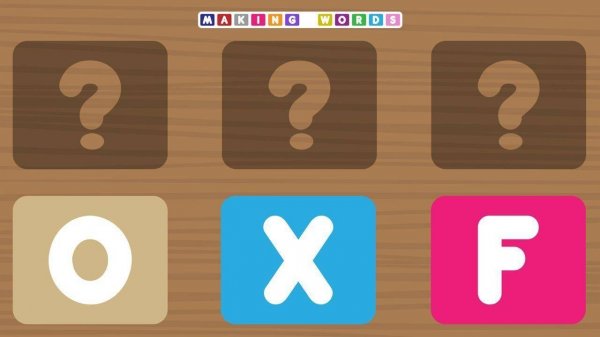
Making Words is a word puzzle game that challenges players to form English words from a set of given letters. It provides a wholesome and educational experience suitable for children and adults alike. The core objective is simple: look at the letters on your screen and arrange them to create correct words. Each successful word adds to your score and helps you advance through multiple levels. The game supports learning by introducing new vocabulary in a stress-free environment, making it a valuable tool for cognitive development and language practice.
How to Play
Playing Making Words is straightforward. On your mobile phone, tablet, or computer, you will see a set of letters. Use your finger or mouse to drag, tap, or click the letters and place them in order to form a word. The game checks your answer and awards points for each correct word. There are no timers, so you can think carefully and learn at your own speed. Beginners can start with shorter words and common letters, while more advanced players can try longer combinations. The intuitive interface makes it easy for anyone to start playing immediately.
Game Features
Family-friendly content suitable for all ages. Multiple difficulty levels to match different skill sets. No time limits for a relaxed gaming experience. Clean and simple design that is easy to navigate. Playable on mobile phones, tablets, and computers. Positive feedback and rewards for each completed word.
Tips for Success
Making Words offers a calm and productive way to spend your free time. It helps improve your vocabulary and spelling without any pressure, making it a great choice for daily brain exercise.
Compatibility
▸ Desktop: Chrome / Edge / Firefox / Safari ▸ Mobile: iOS Safari / Android Chrome ▸ Tablet: iPadOS Safari / Android Tablet Browser Keep your browser updated for the best experience
System Requirements