What Is: Kids Object Discovery Puzzle
Reviews
What is offers a clean, distraction-free experience for preschoolers. Each round presents a clear image and a few choices, making it easy for kids to play independently. The game repeats concepts to reinforce learning without becoming boring. It is a solid educational tool that parents can trust for short play sessions.
About This Game
Game Introduction
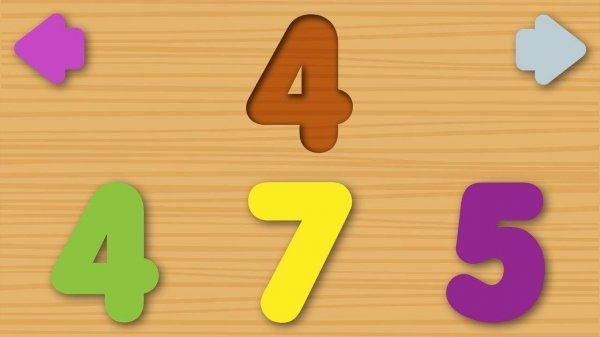
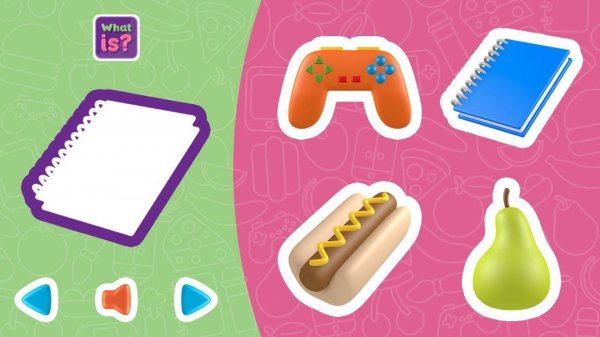
What Is is a delightful online puzzle game designed for children and families. The core objective is to look at an image on the screen and identify the correct object from a set of options. This simple yet engaging activity helps boost observation skills and vocabulary in a playful, pressure-free setting. Developed by Nau.kids, the game provides a safe and age-appropriate experience for young learners. Its intuitive design means no reading is required, making it accessible even for preschoolers. The game works seamlessly on phones, tablets, and computers, allowing children to play anytime, anywhere.
How to Play
Playing What Is is straightforward. An image is displayed on the screen, and players must choose the matching object from several choices. There are no complicated instructions or text to read—just tap or click on the answer. After selecting, the game gives immediate feedback, letting players know if they were correct. Each round presents a new image, keeping the experience fresh and encouraging repeated play. The controls are simple and responsive, designed for small fingers on touchscreens or for use with a mouse on a computer.
Game Features
Key features of What Is include fun object discovery that turns learning into a game. The easy touch controls are perfect for young children, and the entire experience is safe for all ages with no inappropriate content. No reading is required, so even pre-readers can play independently. The game is compatible with phones, tablets, and computers, ensuring accessibility across devices. Each round offers a new challenge, promoting continuous engagement and learning through play.
Tips for Success
To get the most out of What Is, encourage your child to take their time looking at each image before answering. This helps build careful observation habits. Celebrate correct answers to boost confidence, and treat wrong answers as learning opportunities—simply try the next round. Playing regularly can help reinforce vocabulary and object recognition. Since the game is self-paced, let children play at their own speed without pressure. For parents, sitting with your child during play can turn the game into a shared, bonding experience.
✅ Compatibility & Testing
All games on this site are manually tested on: • Desktop (Windows 11, macOS Ventura) • Mobile (iPhone 14, Samsung Galaxy S23) • Tablet (iPad Pro, Android tablet) 📌 Supported browsers: Chrome, Safari, Edge, Firefox (latest versions) 📌 Not supported: Internet Explorer, older browser versions
System Requirements