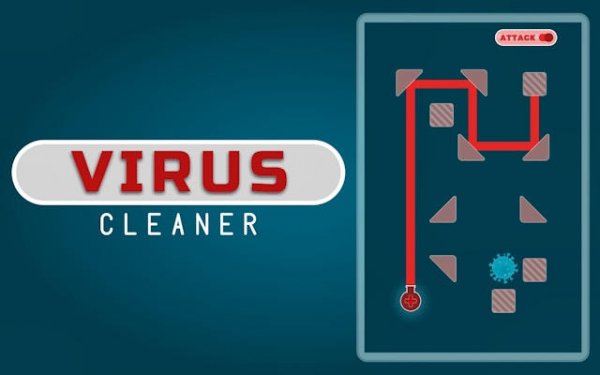
Laser Logic: Grid Puzzle
Reviews
Laser Logic: Grid Puzzle offers a satisfying mental workout with its clever laser mechanics and gradual difficulty increase. The clean visuals and instant browser play make it easy to jump in for a few minutes. The introduction of colored filters and movable objects keeps the puzzles fresh and engaging. It is a great choice for puzzle enthusiasts looking for a quick, brain-teasing challenge.
About This Game
Game Introduction
Laser Logic: Grid Puzzle is a logic-based puzzle game where players use a laser beam to clear targets on a grid. Each level presents a challenge involving laser emitters, mirrors, and splitters. The goal is to adjust these elements so the laser reaches all targets. The game features a clean, vibrant design and gradually increases in difficulty, introducing new mechanics like colored filters and movable objects. It is accessible instantly in a browser, requiring no downloads, making it a convenient option for players seeking a short, engaging mental exercise.
How to Play
To play, start by examining the grid layout. Tap or click on objects such as mirrors and splitters to rotate them. Each rotation changes the path of the laser beam. Plan your moves carefully, as one adjustment can affect the entire trajectory. The objective is to configure the objects so the laser reaches every target on the grid. As you progress, new elements like colored filters require you to match specific colors to pass through. Think several steps ahead to solve each puzzle efficiently.
Game Features
Innovative laser mechanics that challenge spatial reasoning. Progressive difficulty that introduces new elements gradually. Clean, friendly visuals suitable for all ages. Brain-training gameplay that enhances critical thinking. Instant play accessibility with no installation required.
Tips for Success
Start by identifying the positions of all targets and laser emitters. Work backwards from the targets to plan the laser path. Rotate mirrors and splitters one at a time to observe their effect on the beam. Use trial and error to test different configurations. Pay attention to colored filters and ensure the laser matches the required color. Practice regularly to improve your spatial reasoning and puzzle-solving speed.
Compatibility
System Requirements



Comments
0 comments