Stage Style Designer
Reviews
Stage Style Designer offers a focused and enjoyable outfit creation experience. The hand-drawn illustrations stand out, giving each garment a unique feel that many similar games lack. The drag-and-drop interface is responsive, and the mobile version works just as well as the desktop one. While there is no deeper gameplay or progression, the core activity of mixing and matching pieces is satisfying. It is a great choice for anyone who enjoys fashion design or wants a relaxing creative break.
About This Game
Creative Outfit Assembly
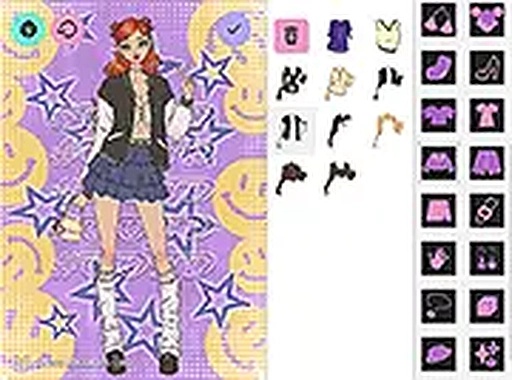
This experience centers on building complete looks from a curated collection of clothing items. You start with a blank character model and select from categories such as tops, bottoms, and footwear. Each piece is drawn by an artist, giving the garments a distinct visual style. The interface uses a simple drag-and-drop system, so you can quickly try different combinations without complicated menus.
Artwork and Visual Style
The clothing illustrations feature detailed textures and patterns that reflect modern concert fashion. Items range from bold printed tops to sleek accessories, all rendered with a consistent artistic approach. The character model is neutral, allowing the outfit to be the main focus. The overall palette is vibrant but not overwhelming, making it easy to experiment with color and layering.
Accessories and Finishing Touches
Beyond basic clothing, you can add hats, bags, jewelry, and other small items to personalize the look. Hairstyles are also available, letting you change the character's overall silhouette. These extras help transform a simple outfit into a more complete stage persona. The layering system is intuitive, so accessories sit naturally on the character.
Sharing and Saving Creations
Once you finish a design, the game provides options to save the image or share it with others. This feature is useful for collecting your favorite looks or showing them to friends. The saving process is straightforward, and the shared images maintain the quality of the original artwork.
Platform and Accessibility
This tool runs entirely in a web browser, so there is no need to install software or create an account. It works on both desktop computers and mobile devices, with touch controls available for tablets and phones. The layout adjusts to different screen sizes, ensuring a consistent experience regardless of device.
Compatibility
System Requirements
Comments
0 comments